Guide to Building a No-Code Development Platform
Discover how to create a no-code development platform that meets the growing demand for visual development tools. Learn key architectural decisions, multi-tenant strategies, and implementation tips to serve millions of users and capitalize on a booming market.

Zakariae

The landscape of software development has fundamentally shifted. According to industry analysts, 75 percent of new enterprise applications will leverage visual development technologies by 2026, up from less than 25 percent in 2020. This seismic transformation represents more than a trend; it signals a structural change in how businesses create the tools they depend on daily. For entrepreneurs and developers looking to capitalize on this movement, building a no-code development platform presents an extraordinary opportunity to serve millions of users who want to create software without writing traditional code.
Creating such a platform, however, demands careful architectural planning, robust multi-tenant infrastructure, and thoughtful implementation strategies. This comprehensive guide walks you through every critical aspect of building a production-ready visual development platform, from foundational architecture decisions to advanced implementation patterns that will set your product apart in an increasingly competitive market.
Key Takeaways
- Multi-tenant architecture forms the backbone of any successful visual development platform, requiring careful isolation strategies and resource management from day one.
- Custom subdomain support with SSL is essential for enabling your clients to deploy professional applications under their own branding.
- Visual component systems must balance flexibility with simplicity, allowing non-technical users to build sophisticated applications through intuitive interfaces.
- Data modeling capabilities separate basic form builders from true application development platforms that can handle complex business logic.
- Authentication architecture requires dual layers: platform-level authentication for your clients and application-level authentication for their end users.
- Performance optimization becomes critical at scale, demanding efficient rendering strategies and intelligent caching mechanisms.
- Monetization infrastructure must support both your platform's revenue model and enable your clients to charge their own customers.
- Self-hosting options can dramatically reduce operational costs while providing enterprise clients with data sovereignty requirements.
Understanding the Market Opportunity for Visual Development Platforms
Before diving into technical implementation, understanding the market dynamics driving demand for visual development tools provides crucial context for architectural decisions. The U.S. faces a projected shortage of 1.2 million developers by 2026, while global estimates suggest the skilled worker gap could hit 85 million by 2030, potentially risking $8.5 trillion in unrealized revenue. This shortage creates massive demand for tools that enable non-developers to build software solutions.
Organizations report delivering solutions 56 percent faster on average when using visual development tools, while companies creating customer-facing applications through these platforms have seen an average 58 percent increase in revenue. These statistics underscore why building a platform in this space represents such a compelling business opportunity. The market is not merely growing; it is experiencing exponential expansion as businesses across every sector recognize the strategic importance of democratizing software creation.
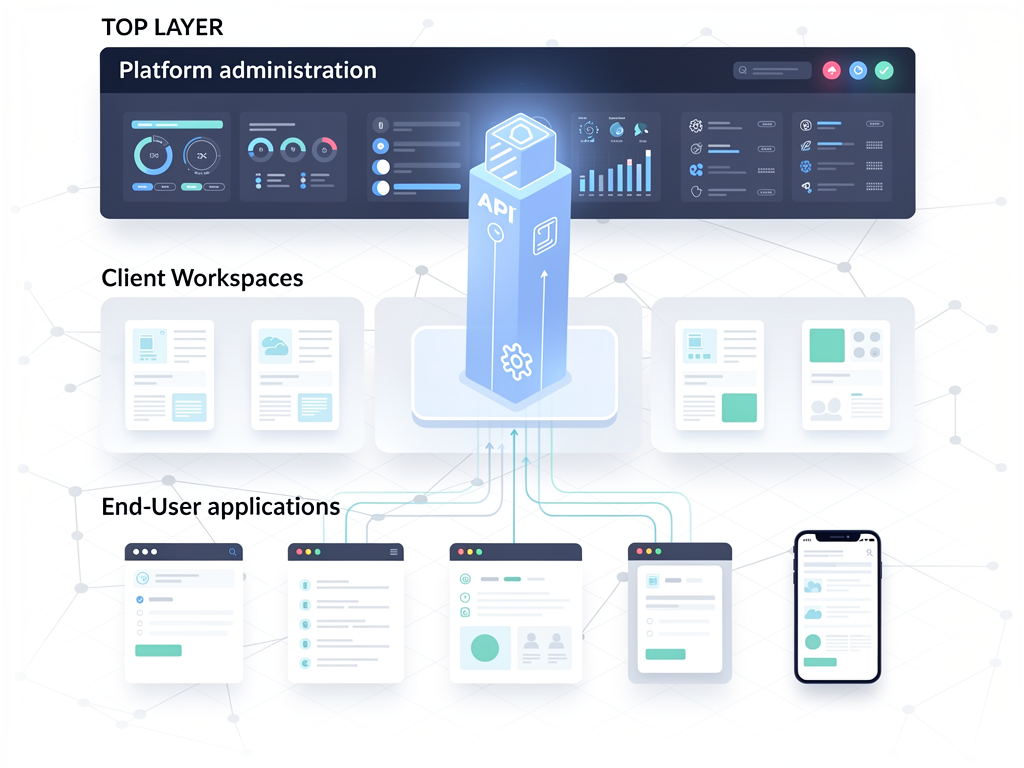
Your platform can target multiple lucrative segments simultaneously. SaaS entrepreneurs need tools to build subscription-based products quickly. Agencies require white-label solutions they can resell to clients. Enterprise teams want to empower citizen developers while maintaining IT governance. Each segment has distinct requirements, but they share common architectural needs that your platform must address from the foundation upward.
The competitive landscape includes established players, but significant opportunities remain for platforms that excel in specific niches or offer superior developer experience. Platforms that enable true multi-tenant architectures, where your clients can themselves serve multiple customers, occupy a particularly valuable position in the market hierarchy.
Foundational Architecture Decisions for Multi-Tenant Platforms
The architectural foundation you establish will determine your platform's scalability, security posture, and operational complexity for years to come. Multi-tenant architecture presents three primary isolation strategies, each with distinct tradeoffs that merit careful consideration based on your target market and operational capabilities.
Shared database with tenant identifiers represents the most cost-effective approach, where all tenants share database tables with a tenant_id column distinguishing records. This model minimizes infrastructure costs and simplifies deployments, but requires rigorous query discipline to prevent data leakage between tenants. Every database query must include tenant filtering, and any oversight creates potential security vulnerabilities.
Separate schemas per tenant provides stronger isolation while maintaining a single database instance. Each tenant receives their own schema namespace, enabling easier backup and restore operations for individual tenants. This approach balances isolation benefits against operational complexity, making it suitable for platforms serving mid-market clients with moderate data sensitivity requirements.
Dedicated databases per tenant offers maximum isolation and enables per-tenant performance tuning, but dramatically increases operational overhead and infrastructure costs. Enterprise clients with strict compliance requirements often demand this level of isolation, so your architecture should accommodate this model even if you initially deploy shared infrastructure.
| Isolation Strategy | Cost Efficiency | Security Isolation | Operational Complexity | Best For |
|---|---|---|---|---|
| Shared Database | Excellent | Moderate | Low | Startups, SMB clients |
| Separate Schemas | Good | High | Moderate | Mid-market clients |
| Dedicated Databases | Poor | Excellent | High | Enterprise clients |
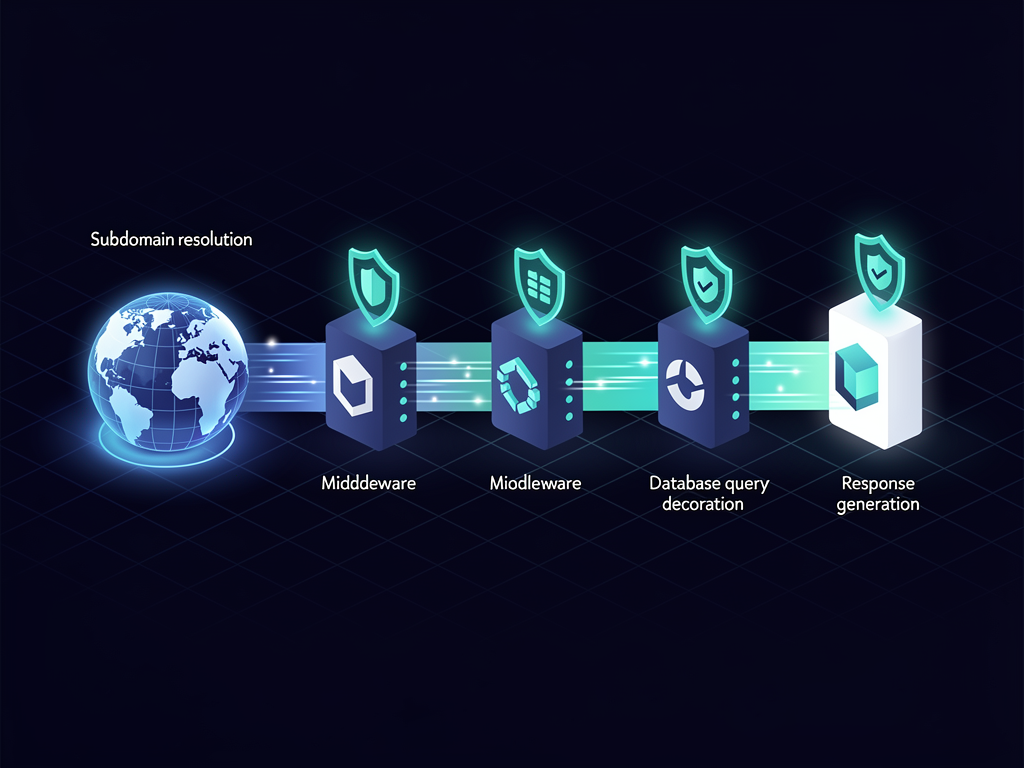
Regardless of which isolation strategy you choose, implementing a robust tenant context system is essential. Every request entering your system must establish tenant context early in the request lifecycle, and this context must propagate through all subsequent operations. Middleware that extracts tenant information from subdomains, authentication tokens, or request headers forms the critical first layer of your multi-tenant infrastructure.
Implementing Custom Subdomains and SSL Certificate Management
Professional visual development platforms must enable clients to deploy applications under custom subdomains or even fully custom domains. This capability transforms your platform from a tool into an invisible infrastructure layer, allowing your clients to present polished, branded experiences to their end users without revealing the underlying platform.
Subdomain routing requires dynamic resolution at the edge of your infrastructure. When a request arrives for clientapp.yourplatform.com or app.clientdomain.com, your system must identify the correct tenant and route the request appropriately. This resolution must happen before any application logic executes, typically in a reverse proxy or edge function layer.
For platforms built with modern frameworks, middleware provides an elegant solution for subdomain resolution. The middleware intercepts every request, parses the hostname, queries your tenant registry, and establishes the appropriate context before the request reaches your application routes. This pattern keeps tenant resolution logic centralized and easily maintainable.
Implementation Tip: Cache tenant resolution results aggressively. DNS lookups and database queries for every request create unacceptable latency. Implement a tiered caching strategy with in-memory caches for hot tenants and distributed caches for the full tenant registry.
SSL certificate management for custom domains presents additional complexity. Wildcard certificates cover subdomains of your primary domain, but custom domains require individual certificates. Automated certificate provisioning through services like Let's Encrypt, integrated with your domain verification workflow, enables seamless custom domain onboarding. Your platform should guide clients through DNS configuration, verify domain ownership, provision certificates, and configure routing automatically.
The technical implementation involves several coordinated systems. A domain registration service accepts custom domain requests and initiates verification. A DNS verification worker checks for proper CNAME or A record configuration. Upon successful verification, a certificate provisioning service requests and installs SSL certificates. Finally, your routing layer updates to direct traffic for the new domain to the correct tenant application.
Designing the Visual Component System
The visual component system represents the core user experience of your platform. This system must enable non-technical users to construct sophisticated applications through intuitive drag-and-drop interactions while generating clean, performant output. Balancing power with simplicity requires careful design decisions that will shape your platform's competitive positioning.
Component architecture typically follows a hierarchical model with three primary layers. Primitive components provide basic building blocks like text, images, buttons, and input fields. Composite components combine primitives into reusable patterns like cards, forms, and navigation menus. Template components offer pre-built page layouts and application structures that users can customize.
Each component requires a well-defined schema specifying its configurable properties, accepted children, styling options, and behavioral attributes. This schema drives both the visual editor interface and the runtime rendering engine. Consider implementing a JSON-based schema format that can be versioned, validated, and extended as your platform evolves.
The visual editor itself demands sophisticated state management. Users expect real-time feedback as they manipulate components, requiring efficient reconciliation between the editor state and the rendered preview. Implementing an immutable state architecture with structural sharing enables performant undo/redo functionality while maintaining responsive editing experiences even for complex applications.
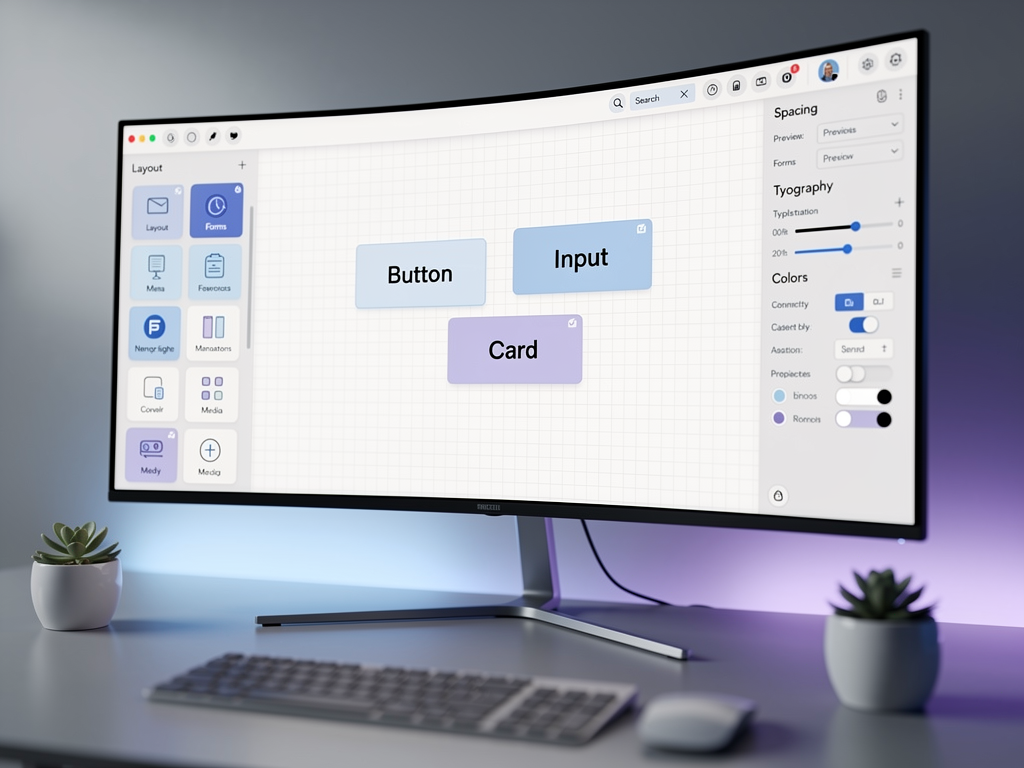
Component styling presents another design decision with significant implications. Some platforms offer pixel-perfect positioning, giving users complete control over layout. Others enforce design system constraints, ensuring consistent, professional-looking results. The latter approach, while more restrictive, often produces better outcomes for non-designer users and simplifies responsive design implementation.
Consider implementing a constraint-based layout system where users select from predefined spacing, sizing, and alignment options rather than specifying arbitrary pixel values. This approach generates cleaner CSS output, adapts better to different screen sizes, and prevents the cluttered layouts that often result from unrestricted positioning tools.
Building Robust Data Modeling Capabilities
True application development platforms must provide sophisticated data modeling capabilities that go far beyond simple form builders. Your users need to define data structures, establish relationships, configure validation rules, and build queries without understanding database concepts. This abstraction layer represents one of the most technically challenging aspects of platform development.
Start with a flexible schema definition system that supports common data types including text, numbers, dates, booleans, files, and references to other data types. Reference fields enable relationship modeling, allowing users to create one-to-many and many-to-many associations between their data structures. The visual interface should present these concepts in accessible terms, perhaps using language like "linked records" rather than "foreign keys."
Validation rules require a visual rule builder that generates executable validation logic. Users should be able to specify required fields, format constraints, value ranges, and conditional validation rules through intuitive interfaces. Behind the scenes, your system compiles these visual rules into efficient validation functions that execute both client-side for immediate feedback and server-side for security.
Query building presents particular complexity. Non-technical users need to filter, sort, and aggregate data without understanding SQL or query languages. Implementing a visual query builder with drag-and-drop filter conditions, sortable field lists, and aggregation options enables powerful data retrieval while hiding technical complexity. The generated queries must be optimized and parameterized to prevent both performance issues and injection vulnerabilities.
Security Note: Never allow user-defined queries to execute directly against your database. All queries must pass through a query compiler that validates structure, enforces tenant isolation, and parameterizes all user-provided values.
Consider implementing a computed fields feature that allows users to define derived values based on other fields. A "full name" field combining first and last names, or a "total" field summing line item amounts, provides significant utility without requiring users to write formulas in traditional programming syntax. Visual formula builders with function libraries make these capabilities accessible.
Dual-Layer Authentication Architecture
Visual development platforms require authentication at two distinct levels, creating architectural complexity that demands careful planning. Platform authentication governs access to your platform itself, where your clients log in to build and manage their applications. Application authentication governs access to the applications your clients create, where their end users authenticate to use those applications.
Platform authentication follows standard patterns with some multi-tenant considerations. Users authenticate against your central identity system, and their session establishes both their identity and their tenant context. Role-based access control determines which platform features each user can access, with typical roles including owner, administrator, developer, and viewer.
Application authentication is more complex because each application your clients build may have different authentication requirements. Some applications need simple email/password authentication. Others require social login integration. Enterprise applications might demand SAML or OIDC federation with corporate identity providers. Your platform must provide configurable authentication that your clients can customize for their specific needs.
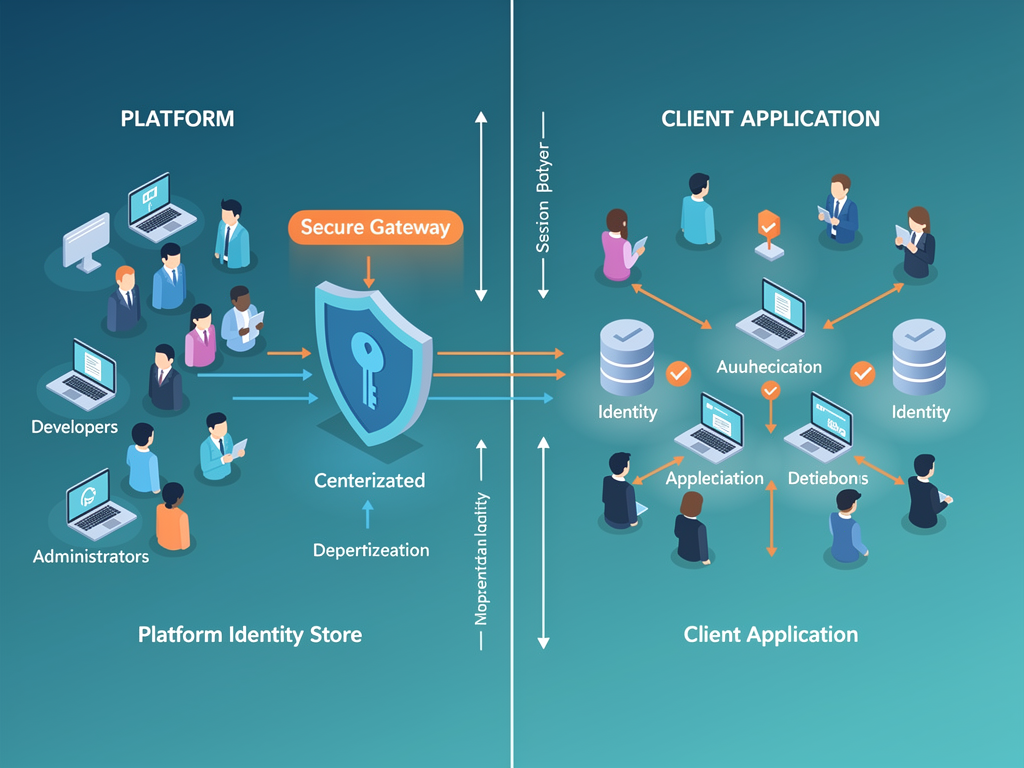
Implementing this dual-layer system requires separate identity stores and session management for each layer. Platform users exist in your central database with platform-specific attributes. Application users exist within tenant-scoped tables with application-specific attributes. Session tokens must encode which layer they authenticate and, for application sessions, which specific application the user has accessed.
Member management features enable your clients to control who can access their applications. Invitation workflows, role assignment interfaces, and user administration dashboards must be provided as platform features that your clients can configure and brand for their applications. These features represent significant development effort but are essential for serving business use cases.
Workflow Automation and Business Logic Implementation
Modern applications require more than static data display; they need automated workflows and business logic that respond to events and user actions. Providing visual workflow builders that enable your clients to implement automation without coding dramatically expands the types of applications they can create on your platform.
Workflow architecture typically follows an event-driven pattern with triggers, conditions, and actions. Triggers define when workflows execute, such as when a record is created, updated, deleted, or when a scheduled time arrives. Conditions filter which events should proceed through the workflow based on data values or user attributes. Actions define what happens when conditions are met, such as sending emails, updating records, calling external APIs, or triggering other workflows.
The visual workflow builder should present these concepts through an intuitive interface, often using a flowchart or node-based representation. Users connect trigger nodes to condition nodes to action nodes, building complex automation logic through visual composition rather than code. Each node type requires a configuration panel where users specify the relevant parameters.
Implementing the workflow execution engine requires careful consideration of reliability and scalability. Workflows should execute asynchronously to avoid blocking user interactions. A job queue system processes workflow executions, with retry logic handling transient failures. Execution logs provide visibility into workflow behavior, helping your clients debug issues when automations don't behave as expected.
Consider implementing a formula system that allows users to reference and transform data within workflows. A simple expression language supporting field references, basic arithmetic, string manipulation, and date calculations enables sophisticated data transformations. The formula parser should provide helpful error messages when users make syntax mistakes.
API Integration and External Connectivity
Applications rarely exist in isolation. Your clients will need to connect their applications to external services, import data from other systems, and expose their application data through APIs. Providing robust integration capabilities significantly expands your platform's utility and market appeal.
Outbound integrations enable applications to communicate with external services. A visual API connector builder allows your clients to configure connections to third-party APIs by specifying endpoints, authentication methods, request formats, and response mappings. Pre-built connectors for popular services like Stripe, Mailchimp, Slack, and Google services accelerate common integration scenarios.
The integration builder must handle authentication complexity transparently. OAuth flows, API key management, and token refresh logic should be abstracted behind simple configuration interfaces. Your platform securely stores credentials and handles authentication automatically when workflows or user actions trigger API calls.
Inbound integrations expose application data and functionality to external systems. Automatically generated REST APIs for each data type enable external applications to query and manipulate data. Webhook endpoints allow external services to trigger workflows within your platform. API key management and rate limiting protect these endpoints from abuse.
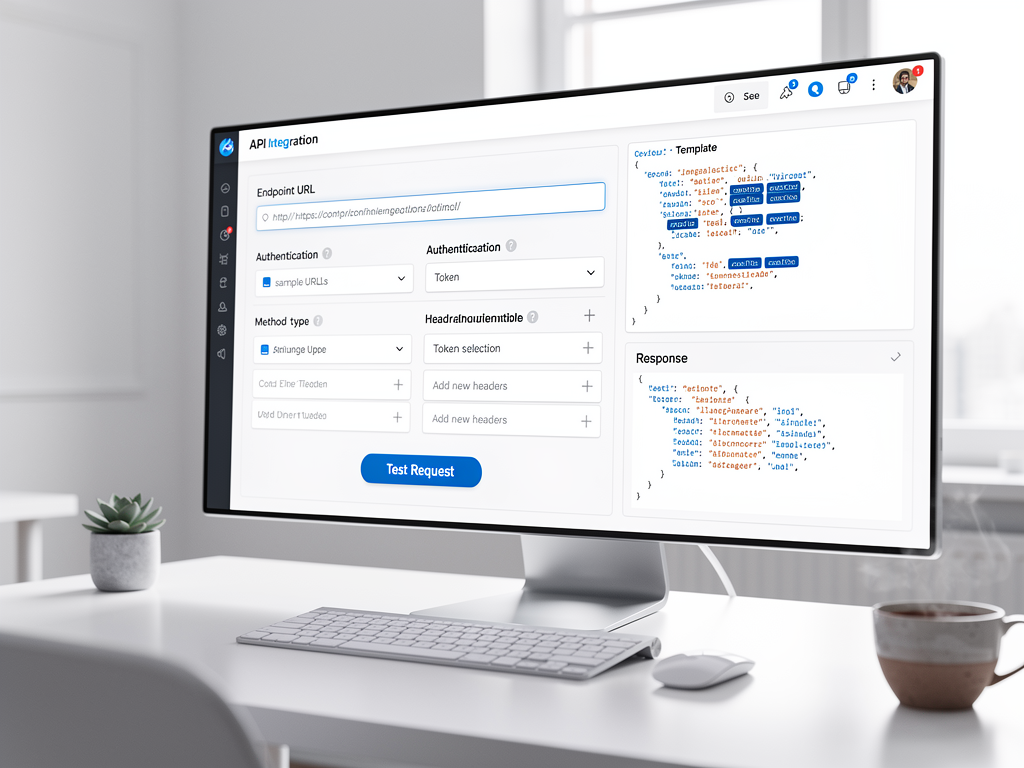
Consider implementing a middleware layer that normalizes external API responses into consistent internal formats. External APIs change frequently, and this normalization layer isolates your application logic from external changes. When an external API updates its response format, you update the normalization mapping rather than every workflow that uses that integration.
Performance Optimization Strategies at Scale
As your platform grows, performance optimization becomes increasingly critical. Applications built on your platform must remain responsive even as data volumes grow and user counts increase. Implementing optimization strategies from the beginning prevents painful refactoring later.
Rendering optimization starts with efficient component tree management. Virtual DOM implementations minimize actual DOM manipulations, but even virtual DOM reconciliation becomes expensive with deeply nested component trees. Implement windowing for long lists, lazy loading for off-screen components, and memoization for expensive computations.
Database query optimization requires careful attention to the queries your visual query builder generates. Ensure appropriate indexes exist for common query patterns. Implement query result caching with intelligent invalidation. Consider read replicas for query-heavy workloads and connection pooling to manage database connections efficiently across your multi-tenant environment.
Asset delivery optimization includes image optimization, code splitting, and CDN distribution. Applications your clients build should automatically benefit from these optimizations without requiring technical configuration. Implement automatic image resizing and format conversion, generate optimized bundles for each application, and serve static assets through geographically distributed CDN nodes.
Performance Tip: Implement tenant-level resource quotas to prevent any single tenant from consuming disproportionate resources. Rate limiting, storage quotas, and compute time limits protect platform stability while providing clear boundaries for your pricing tiers.
Monitoring and observability enable proactive performance management. Implement distributed tracing to identify slow operations across your microservices. Collect performance metrics at both platform and tenant levels. Alert on anomalies before they impact user experience. Provide your clients with performance dashboards showing their application metrics.
Monetization Infrastructure and Payment Processing
Your platform requires robust monetization infrastructure at two levels. First, you need to charge your clients for using your platform. Second, you should enable your clients to charge their own customers for applications they build. This dual monetization capability significantly increases your platform's value proposition.
Platform monetization typically follows subscription models with usage-based components. Define pricing tiers based on features, user counts, storage limits, or API call volumes. Implement subscription management with upgrade/downgrade flows, proration calculations, and grace periods for failed payments. Usage tracking must be accurate and auditable, as disputes over usage charges damage customer relationships.
Enabling client monetization requires integrating payment processing that your clients can configure for their applications. Stripe Connect or similar platforms enable your clients to accept payments while you facilitate the payment flow. Your clients configure their pricing, and payments flow through your platform with appropriate fee structures.

Billing management interfaces allow your clients to view their platform charges, update payment methods, and download invoices. For their own monetization, they need subscriber management, revenue reporting, and payout configuration. These features require significant development investment but are essential for serving serious business clients.
Consider implementing an affiliate program that rewards users for referring new clients. Affiliate tracking, commission calculations, and payout management add complexity but can significantly accelerate platform growth through word-of-mouth marketing.
Team Collaboration and Permission Systems
Business applications are rarely built by individuals working alone. Your platform must support team collaboration with sophisticated permission systems that enable organizations to work together effectively while maintaining appropriate access controls.
Permission architecture should support multiple granularity levels. Platform-level permissions control who can create new applications, manage billing, or invite team members. Application-level permissions control who can edit specific applications, view analytics, or publish changes. Data-level permissions control which records users can view or modify within applications.
Implementing role-based access control with customizable roles provides flexibility while maintaining manageability. Pre-defined roles like owner, administrator, editor, and viewer cover common scenarios, while custom role creation enables organizations with unique requirements. Each role specifies permitted actions across the permission hierarchy.
Collaboration features extend beyond permissions to include real-time editing, commenting, and change tracking. Multiple team members should be able to work on the same application simultaneously with conflict resolution for concurrent edits. Comment threads on specific components enable design discussions within the platform context. Version history allows teams to review changes and revert problematic updates.
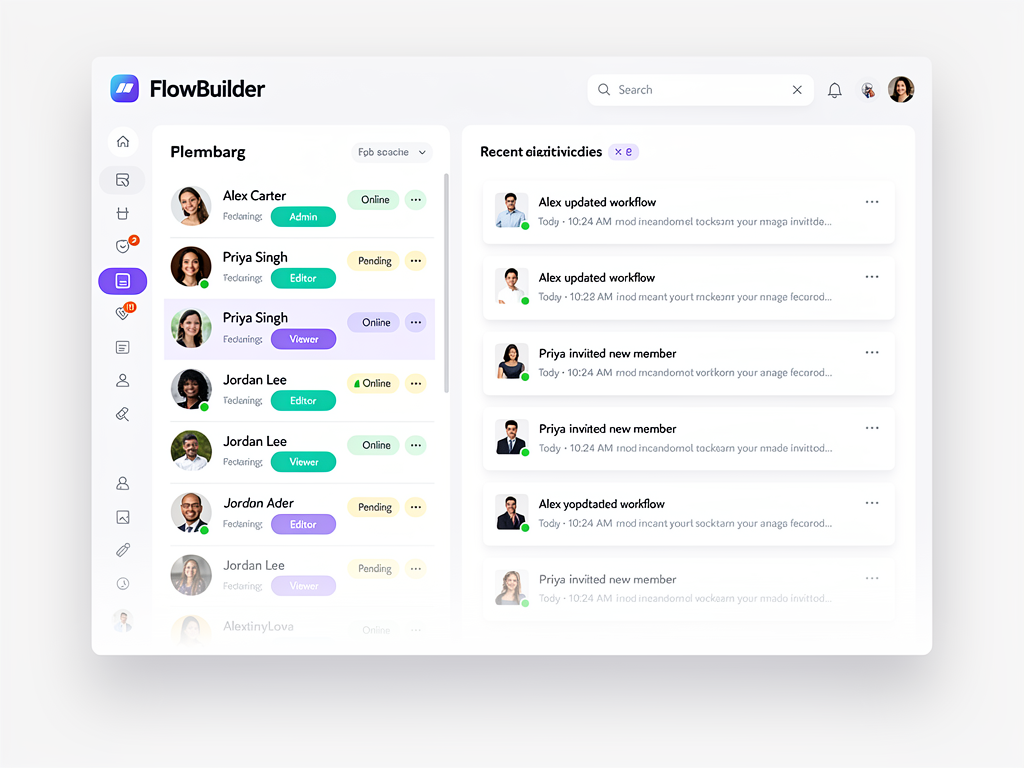
Audit logging provides accountability and compliance support. Record who made what changes when, with sufficient detail to understand the nature of each change. Audit logs should be immutable and retained according to configurable policies. Enterprise clients often require audit log exports for compliance documentation.
Self-Hosting Options and Infrastructure Flexibility
While cloud-hosted platforms offer convenience, many organizations require self-hosting options for data sovereignty, compliance, or cost optimization reasons. Providing self-hosting capabilities expands your addressable market significantly while creating additional revenue opportunities through support and enterprise licensing.
Self-hosting architecture requires your platform to be deployable on customer-controlled infrastructure. Containerization through Docker enables consistent deployments across different hosting environments. Kubernetes orchestration supports production deployments with scaling, health monitoring, and rolling updates. Clear documentation guides customers through deployment, configuration, and ongoing maintenance.
Infrastructure flexibility means supporting multiple database backends, storage providers, and authentication systems. While your cloud offering might use specific services, self-hosted deployments need options. PostgreSQL compatibility ensures broad database support. S3-compatible storage APIs enable various object storage backends. LDAP and SAML integration supports enterprise identity requirements.
Using a multi-tenant boilerplate as your foundation can dramatically accelerate development. A well-architected Next.js boilerplate with built-in multi-tenancy, authentication, and payment processing provides months of development time savings. The NextBuilder platform, for example, provides production-ready infrastructure specifically designed for building platforms where clients create their own applications with custom subdomains and SSL.
Cost Optimization: Self-hosting guides that walk customers through deploying on cost-effective infrastructure like Hetzner with Coolify and Supabase can reduce hosting costs to as little as $15 per month for enterprise-level platforms, making your solution accessible to bootstrapped startups.
Consider offering hybrid deployment models where the application builder runs in your cloud while deployed applications run on customer infrastructure. This approach balances convenience with data control requirements that enterprise customers often mandate.
Content Management and Marketing Features
Applications built on your platform often need content management capabilities beyond structured data. Blog functionality, landing pages, and marketing content require different editing paradigms than application data. Providing integrated content management expands the types of solutions your clients can build.
MDX-based content systems combine the simplicity of Markdown with the power of component embedding. Your clients can write content in familiar Markdown syntax while incorporating interactive components from your visual builder. This hybrid approach serves both content-focused pages and application interfaces within a unified system.
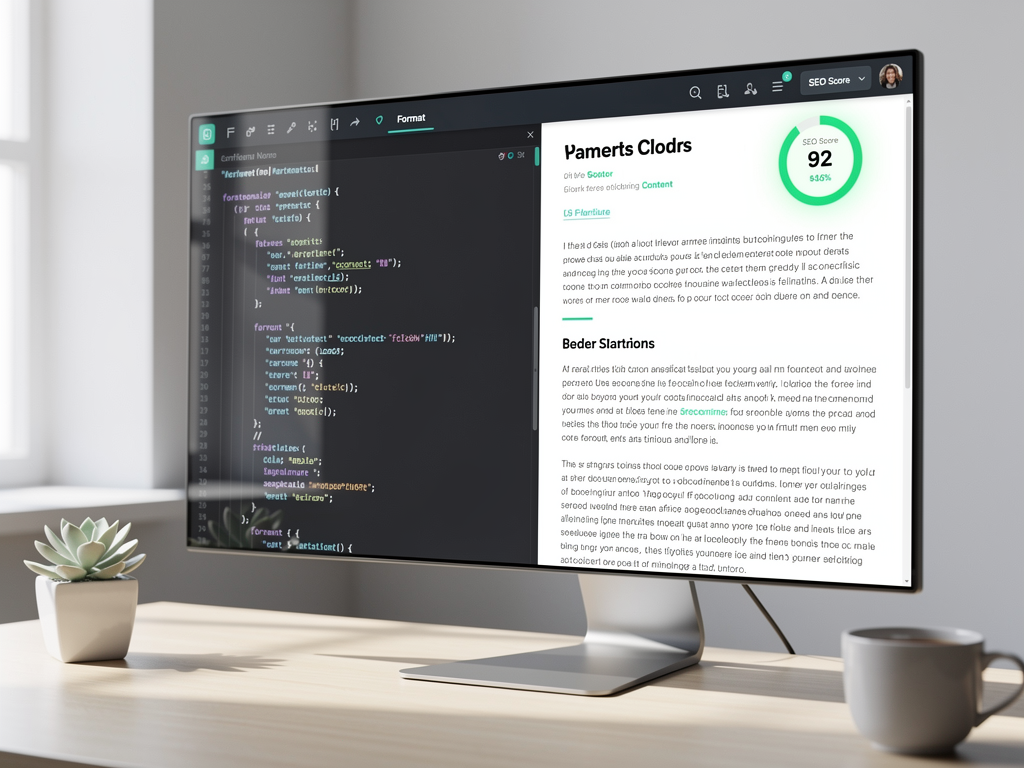
SEO optimization features help applications your clients build rank in search engines. Automatic sitemap generation, meta tag management, structured data markup, and performance optimization contribute to search visibility. Providing SEO analysis tools that identify optimization opportunities helps your clients improve their applications without SEO expertise.
Email marketing integration enables your clients to communicate with their application users. Campaign builders, template editors, subscriber management, and analytics provide complete email marketing capabilities. Transactional email templates for common scenarios like welcome messages, password resets, and notifications accelerate application development.
Analytics and Reporting Dashboards
Data-driven decision making requires comprehensive analytics at both platform and application levels. Your clients need visibility into how their applications perform and how users engage. You need visibility into platform health, client activity, and business metrics.
Application analytics track user behavior within applications your clients build. Page views, feature usage, conversion funnels, and retention metrics help your clients understand and improve their applications. Implement event tracking that your clients can configure without code, capturing the specific interactions relevant to their use cases.
Platform analytics provide operational visibility for you as the platform operator. Active tenant counts, resource utilization, error rates, and performance metrics enable proactive platform management. Business metrics including new signups, churn rates, and revenue trends inform strategic decisions.
Real-time dashboards surface critical metrics immediately. Implement streaming data pipelines that update dashboards within seconds of events occurring. Historical reporting enables trend analysis over longer time periods. Export capabilities allow your clients to perform additional analysis in external tools.
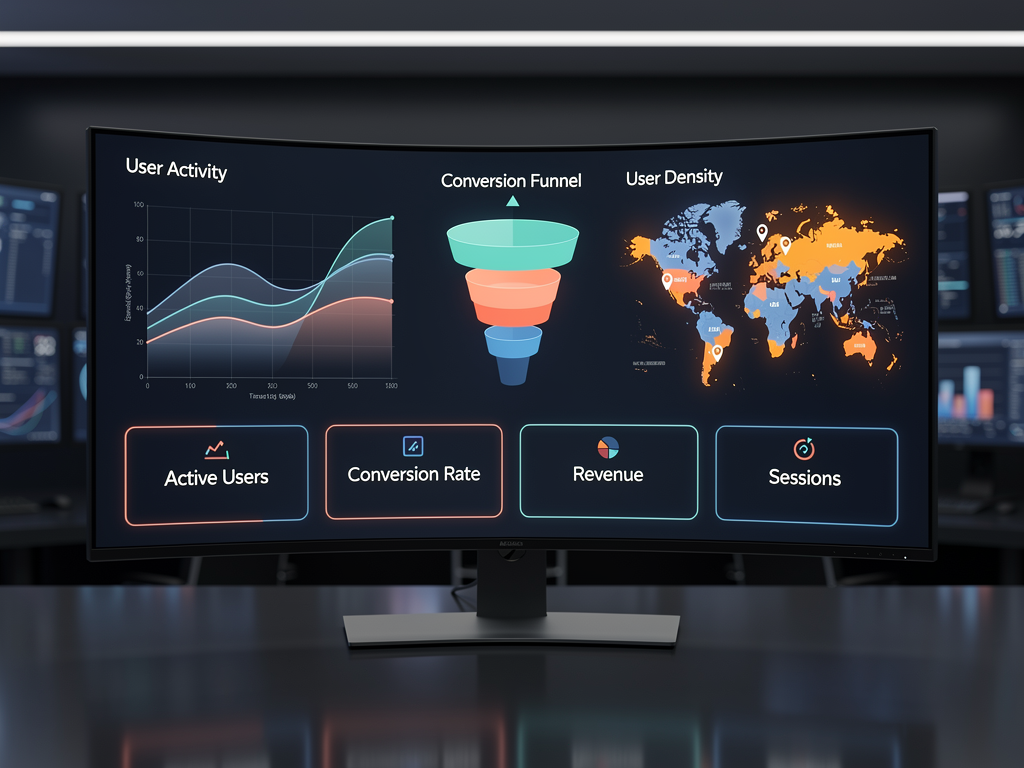
Consider implementing anomaly detection that automatically identifies unusual patterns in metrics. Sudden traffic spikes, error rate increases, or performance degradations trigger alerts before they become critical issues. Machine learning models can establish baseline patterns and identify deviations requiring attention.
Testing, Quality Assurance, and Deployment Pipelines
Production-quality platforms require robust testing and deployment processes. Your clients depend on platform reliability, and any downtime or bugs directly impact their businesses and their customers. Implementing comprehensive quality assurance protects your reputation and reduces support burden.
Automated testing should cover multiple levels. Unit tests verify individual functions and components behave correctly. Integration tests confirm that system components work together properly. End-to-end tests simulate user workflows through the complete platform. Visual regression tests catch unintended UI changes that might affect user experience.
Preview environments enable your clients to test changes before publishing to production. When they modify an application, they should be able to preview changes in an isolated environment that mirrors production. Only after verification do changes deploy to the live application. This workflow prevents accidental publication of incomplete or broken changes.
Deployment pipelines automate the release process with appropriate safeguards. Continuous integration runs tests on every code change. Staging deployments enable final verification before production. Blue-green or canary deployments minimize risk during production updates. Automated rollback capabilities quickly recover from problematic releases.
Using a SaaS boilerplate or SaaS starter kit as your foundation provides tested infrastructure patterns. A Next.js SaaS template with pre-built deployment pipelines, testing configurations, and monitoring integration accelerates your path to production while establishing quality practices from the start. The SaaSCore boilerplate offers production-ready patterns specifically designed for multi-tenant SaaS applications.
Security Considerations and Compliance Requirements
Security is non-negotiable for platforms handling customer data and business applications. A security breach damages not only your reputation but potentially the businesses of every client using your platform. Implementing security best practices from the foundation prevents costly remediation later.
Data isolation must be enforced at every layer. Database queries must always include tenant context. API endpoints must verify tenant authorization before processing requests. File storage must segregate tenant assets. Even error messages must avoid leaking information about other tenants.
Input validation and sanitization prevent injection attacks. All user input, whether from platform users or application end users, must be validated and sanitized before processing. Parameterized queries prevent SQL injection. Output encoding prevents cross-site scripting. Content security policies limit executable code sources.

Compliance requirements vary by industry and geography. SOC 2 Type II certification demonstrates security control effectiveness. GDPR compliance is mandatory for serving European users. HIPAA compliance enables healthcare use cases. Understanding which compliance frameworks your target market requires guides security investment priorities.
Penetration testing and security audits should occur regularly. External security firms bring fresh perspectives and specialized expertise. Bug bounty programs incentivize security researchers to report vulnerabilities responsibly. Incident response plans ensure rapid, coordinated responses when security events occur.
Conclusion
Building a no-code development platform represents a significant technical undertaking with substantial market opportunity. The architecture decisions you make early in development will determine your platform's scalability, security, and competitive positioning for years to come. From multi-tenant isolation strategies to visual component systems, from dual-layer authentication to workflow automation, each subsystem requires thoughtful design and robust implementation.
The market demand is clear and growing. Organizations need more software than their developers can build, and visual development platforms bridge this gap. By enabling non-technical users to create sophisticated applications, you serve a massive and expanding market while generating recurring revenue through subscription models.
Success requires balancing power with simplicity. Your platform must enable sophisticated applications while remaining accessible to users without technical backgrounds. This balance demands continuous refinement based on user feedback and market observation. The platforms that excel will be those that deeply understand their users' needs and translate those needs into intuitive, powerful tools.
Starting with a solid foundation accelerates your path to market. A Next.js starter kit or SaaS template with pre-built multi-tenancy, authentication, and payment processing provides months of development time savings. Focus your engineering effort on the unique capabilities that differentiate your platform rather than rebuilding common infrastructure from scratch.
The opportunity awaits. With careful planning, robust architecture, and relentless focus on user experience, you can build a platform that empowers thousands of creators to bring their software ideas to life.
Frequently Asked Questions
What technical skills are required to build a no-code platform?
Building a visual development platform requires strong full-stack development skills, with particular expertise in frontend frameworks, database design, and distributed systems. You need proficiency in modern JavaScript or TypeScript frameworks for building the visual editor interface, which demands sophisticated state management and real-time rendering capabilities. Backend expertise should include API design, authentication systems, and multi-tenant database architecture. Understanding of DevOps practices including containerization, orchestration, and CI/CD pipelines ensures reliable deployments. While you can accelerate development using boilerplates and starter kits, the team should include experienced engineers who can customize and extend these foundations. Plan for at least 600 hours of development time even when starting with production-ready templates, and significantly more when building from scratch.
How do I price my visual development platform competitively?
Pricing strategy should align with the value your platform delivers and the market segment you target. Research competitor pricing across platforms like Bubble, Webflow, and Retool to understand market expectations. Consider tiered pricing based on features, user counts, storage limits, or API call volumes. Free tiers attract users and enable viral growth, while premium tiers capture value from serious business users. Usage-based pricing components align your revenue with customer success but require accurate metering infrastructure. Enterprise pricing often involves custom quotes based on specific requirements. Test pricing through early customer conversations and be prepared to adjust based on conversion rates and customer feedback. Many successful platforms start with lower prices to build market share, then increase prices for new customers as the platform matures.
What is the typical timeline for launching a minimum viable platform?
Timeline varies significantly based on scope, team size, and starting point. Teams building from scratch should expect 12 to 18 months for a production-ready MVP with core features including visual builder, data modeling, user authentication, and basic deployment capabilities. Using a comprehensive SaaS boilerplate or multi-tenant starter kit can reduce this timeline to 4 to 6 months by providing pre-built infrastructure for authentication, payments, multi-tenancy, and deployment. The visual builder component typically requires the most development time, as it demands sophisticated frontend engineering and careful UX design. Plan for iterative development with early user feedback rather than attempting to build a complete platform before launch. Many successful platforms launched with limited feature sets and expanded based on customer demand.
How do I handle the complexity of supporting custom domains for client applications?
Custom domain support requires coordination between DNS verification, SSL certificate provisioning, and routing configuration. Implement a domain registration workflow that guides clients through adding CNAME or A records pointing to your infrastructure. Automated verification checks confirm proper DNS configuration before proceeding. SSL certificate provisioning through Let's Encrypt or similar services can be automated using ACME protocol implementations. Your routing layer, whether implemented through a reverse proxy like Nginx or edge functions, must dynamically route requests based on hostname to the correct tenant application. Wildcard certificates simplify subdomain support for your primary domain, while custom domains require individual certificates. Consider using managed services like Cloudflare or AWS Certificate Manager to reduce operational complexity. The entire flow should be automated and self-service, allowing clients to configure custom domains without support intervention.
What database architecture best supports multi-tenant visual development platforms?
PostgreSQL with a shared database and tenant identifier approach offers the best balance of cost efficiency and isolation for most platforms. Each table includes a tenant_id column, and all queries filter by tenant context established in middleware. Row-level security policies provide an additional isolation layer, preventing accidental cross-tenant data access even if application code contains bugs. For platforms serving enterprise clients with strict isolation requirements, consider supporting dedicated schemas or databases as premium options. Prisma or similar ORMs simplify multi-tenant query management by automatically including tenant filters. Implement connection pooling to manage database connections efficiently across tenants. Plan for horizontal scaling through read replicas for query-heavy workloads and consider sharding strategies for extreme scale, though most platforms will not require sharding until reaching millions of active users.
How can I ensure my platform remains performant as clients build increasingly complex applications?
Performance at scale requires optimization across multiple dimensions. Implement efficient rendering strategies including virtual DOM reconciliation, component memoization, and lazy loading for complex visual builders. Database query optimization through proper indexing, query result caching, and connection pooling prevents database bottlenecks. CDN distribution for static assets reduces latency for geographically distributed users. Implement resource quotas at the tenant level to prevent any single client from consuming disproportionate resources. Monitor performance metrics continuously and alert on anomalies before they impact user experience. Consider implementing tiered infrastructure where high-value clients receive dedicated resources. Load testing with realistic workloads identifies bottlenecks before they affect production. The SeoSmart platform demonstrates how automated content systems can scale efficiently through intelligent caching and queue-based processing, patterns applicable to visual development platforms as well.
Ready to Build Your Visual Development Platform?
Stop spending months building infrastructure from scratch. NextBuilder provides the complete foundation for building multi-tenant SaaS platforms where your clients can create unlimited applications with custom subdomains and SSL. With production-ready features including dual authentication, payment processing, team collaboration, and a self-hosting guide that reduces infrastructure costs to as little as $15 per month, you can launch your platform in days instead of months. Visit NextBuilder.dev today to explore the demo and start building your visual development platform.
Subscribe to our newsletter
Subscribe to our newsletter and stay up-to-date with the latest news and updates.