Build Your Own No-Code App Builder Platform: A Guide for Developers
Explore the booming no-code market and learn how to create your own app builder platform. This guide covers architecture, monetization, and scaling strategies for developers and entrepreneurs.

Zakariae

The no-code development market is experiencing explosive growth, with industry analysts projecting it will reach $24.42 billion by 2030, growing at a compound annual growth rate of 30.6 percent. This surge represents more than just a trend; it signals a fundamental shift in how businesses approach software development. For developers and entrepreneurs with technical expertise, this presents a remarkable opportunity: rather than simply using no-code tools, you can create the platforms that power this revolution.
Building your own no code app builder platform positions you at the intersection of two powerful forces: the democratization of software development and the recurring revenue potential of SaaS business models. By creating a platform where non-technical users can build their own applications, you tap into a market hungry for accessible development tools while establishing a sustainable business with predictable monthly revenue.
This comprehensive guide walks you through every aspect of creating a no-code app builder platform, from architectural decisions and multi-tenant infrastructure to monetization strategies and scaling considerations. Whether you are a solo developer with a vision or a startup team ready to disrupt the market, you will find actionable insights to transform your concept into a production-ready platform.
Key Takeaways
- Multi-tenant architecture is essential for building scalable no-code platforms that serve multiple clients from a single codebase while maintaining data isolation and security.
- Custom subdomain and SSL support dramatically increases perceived value for your clients and their end users, creating a white-label experience.
- Visual builders require careful UX design that balances flexibility with simplicity, ensuring non-technical users can create functional applications.
- Starting with a proven foundation like a Next.js boilerplate can save hundreds of development hours and reduce time-to-market significantly.
- Monetization should be built into the architecture from day one, supporting subscription tiers, usage-based pricing, and potentially allowing your clients to monetize their own apps.
- Component libraries and templates accelerate user adoption and reduce the learning curve for your platform.
- Self-hosting options can dramatically reduce infrastructure costs while providing enterprise clients with deployment flexibility.
Understanding the No-Code Platform Landscape
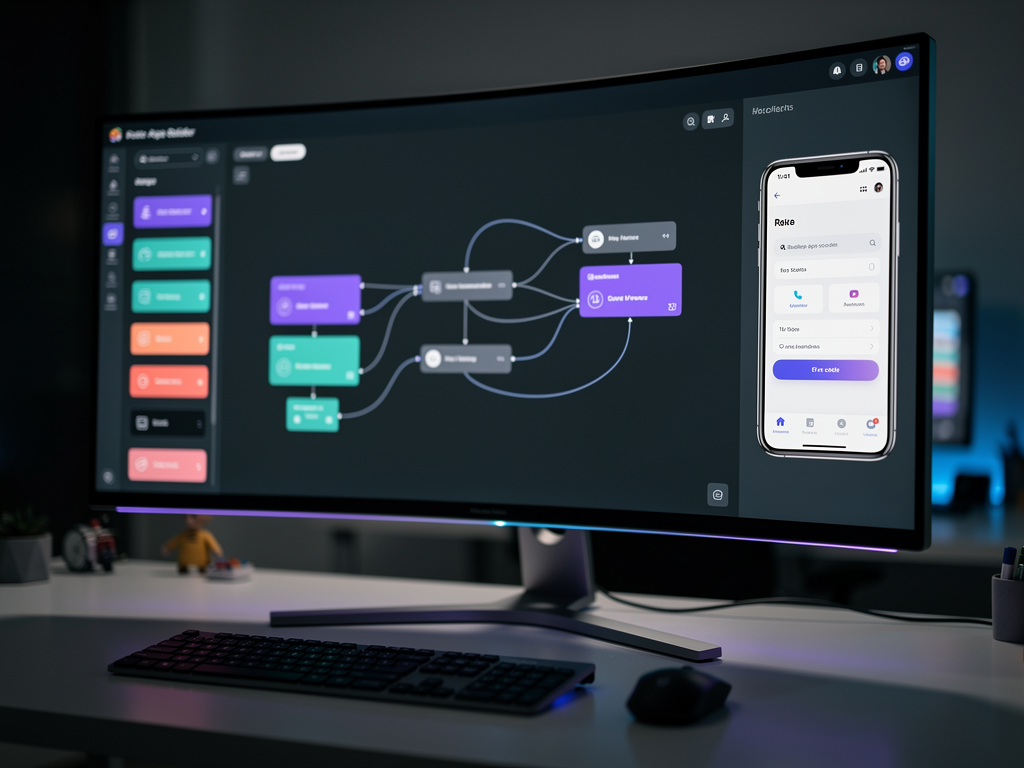
Before diving into development, you need to understand the competitive landscape and identify where your platform can differentiate itself. The no-code market includes several distinct categories, each serving different user needs and technical requirements. General-purpose app builders like Bubble and Adalo allow users to create a wide variety of applications, while specialized platforms focus on specific use cases such as internal tools, mobile apps, or workflow automation.
The most successful platforms typically start with a focused niche rather than attempting to compete with established general-purpose tools. Consider targeting specific industries like real estate, healthcare, or education, or focus on particular application types such as client portals, membership sites, or booking systems. This focused approach allows you to build deeper functionality for your target users while reducing development complexity.
Market research from Zapier's analysis of no-code builders reveals that the most successful platforms share common characteristics: intuitive visual interfaces, robust integration capabilities, and scalable infrastructure. Your platform should incorporate these elements while adding unique value propositions that set you apart from competitors.
Understanding your target users is equally critical. No-code platforms serve diverse audiences including entrepreneurs building MVPs, business teams creating internal tools, agencies developing client solutions, and enterprises automating workflows. Each segment has different needs regarding pricing, features, support, and deployment options. Defining your primary audience early shapes every subsequent architectural and design decision.
Architectural Foundations for Multi-Tenant Platforms
The architectural decisions you make early in development have lasting implications for scalability, security, and maintainability. Multi-tenant architecture, where a single application instance serves multiple customers (tenants), is the standard approach for SaaS platforms. This architecture maximizes resource efficiency and simplifies deployment while requiring careful attention to data isolation and performance.
There are three primary approaches to multi-tenancy, each with distinct tradeoffs. The shared database with tenant identifier approach stores all tenant data in common tables with a tenant ID column. This is the most resource-efficient option but requires rigorous query filtering to prevent data leakage. The schema-per-tenant approach creates separate database schemas for each tenant within a shared database, providing stronger isolation while maintaining reasonable efficiency. The database-per-tenant approach offers maximum isolation and is often required for enterprise clients with strict compliance requirements, though it increases operational complexity.
For most no-code platforms, the schema-per-tenant approach offers the best balance of isolation and efficiency. This approach allows you to easily back up, restore, or migrate individual tenant data while sharing database infrastructure costs. Modern database systems like PostgreSQL handle hundreds of schemas efficiently, making this approach viable even at significant scale.
Your application layer must enforce tenant boundaries consistently. Every database query, API endpoint, and background job should include tenant context verification. Middleware that extracts tenant information from subdomains or authentication tokens and attaches it to the request context simplifies this enforcement throughout your codebase.
| Architecture Approach | Data Isolation | Resource Efficiency | Operational Complexity | Best For |
|---|---|---|---|---|
| Shared Database | Low | High | Low | Early-stage platforms |
| Schema-per-Tenant | Medium | Medium | Medium | Most SaaS platforms |
| Database-per-Tenant | High | Low | High | Enterprise/compliance |
Choosing Your Technology Stack
Selecting the right technology stack significantly impacts development velocity, long-term maintainability, and your ability to attract developer talent. For modern no-code platforms, a JavaScript or TypeScript stack offers compelling advantages including a unified language across frontend and backend, excellent tooling, and a vast ecosystem of libraries and frameworks.
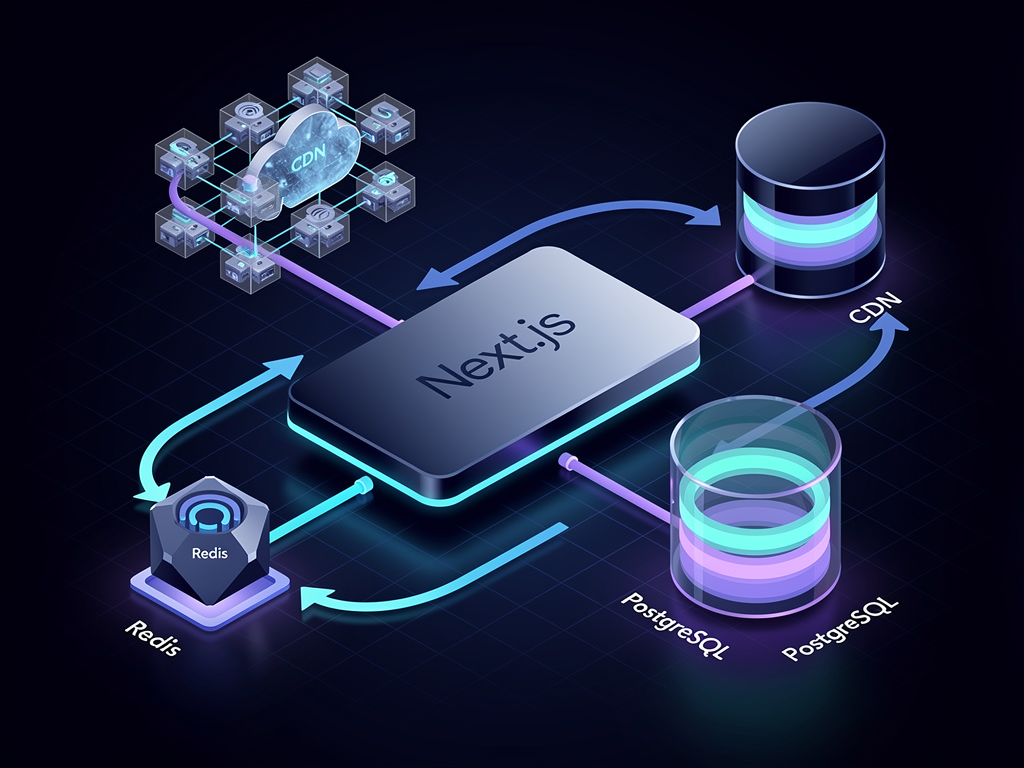
Next.js has emerged as a leading choice for building complex SaaS applications. Its hybrid rendering capabilities (server-side, static, and client-side) allow you to optimize performance for different parts of your platform. The visual builder interface benefits from client-side rendering for responsiveness, while marketing pages and documentation can be statically generated for optimal SEO and load times. Server-side rendering handles dynamic, personalized content efficiently.
Using a SaaS boilerplate or starter kit dramatically accelerates development. Rather than building authentication, billing, team management, and other common features from scratch, you can leverage battle-tested implementations and focus your energy on the unique aspects of your no-code builder. A quality multi-tenant boilerplate provides the foundation for custom subdomains, SSL certificate management, and tenant isolation that would otherwise require weeks of development.
For the database layer, PostgreSQL offers the flexibility and reliability needed for complex SaaS applications. Its JSON support enables storing dynamic, user-defined data structures without rigid schema requirements, which is essential for a platform where users create their own data models. Prisma or Drizzle ORM provide type-safe database access that catches errors at compile time rather than runtime.
State management in the visual builder requires careful consideration. Tools like Zustand offer lightweight, performant state management that handles the complex, nested state structures typical of visual editors. React Query complements this by managing server state, caching, and synchronization, ensuring your builder remains responsive even with frequent saves and updates.
Implementing Custom Subdomains and SSL
Custom subdomains transform your platform from a generic tool into a white-label solution that your clients can present as their own. When a user creates an app called "acme-crm," they should be able to access it at acme-crm.yourplatform.com immediately, with full SSL encryption. This capability significantly increases perceived value and enables your clients to build their own brands on top of your infrastructure.
Implementing wildcard subdomains requires coordination between your DNS configuration, web server, and application logic. Configure your DNS with a wildcard A record pointing to your server's IP address. Your web server (typically Nginx or a cloud load balancer) accepts requests for any subdomain and passes them to your application. The application then extracts the subdomain from the request, looks up the corresponding tenant, and serves the appropriate content.
SSL certificate management for wildcard subdomains has become straightforward with services like Let's Encrypt. Using the DNS-01 challenge method, you can obtain a wildcard certificate covering all subdomains under your domain. Automated renewal ensures certificates remain valid without manual intervention. For platforms supporting custom domains (where clients bring their own domain names), you will need per-domain certificate provisioning, which services like Caddy or specialized certificate management APIs handle efficiently.
The subdomain routing logic in your Next.js application typically lives in middleware. This middleware runs on every request, extracts the subdomain, queries your database for the corresponding tenant, and attaches tenant information to the request context. Caching tenant lookups in Redis prevents database queries on every request, which is essential for performance at scale.
Pro Tip: Consider offering both subdomain and custom domain options at different pricing tiers. Subdomains provide immediate value with minimal configuration, while custom domains justify premium pricing for clients who need complete brand control.
Building the Visual App Builder Interface
The visual builder is the heart of your platform and the primary differentiator from competitors. Users expect an intuitive drag-and-drop interface that allows them to construct applications without writing code. Achieving this requires sophisticated frontend engineering combined with thoughtful UX design that guides users toward successful outcomes.
Start by defining the component model that underlies your builder. Each component (buttons, forms, tables, charts) needs a schema defining its configurable properties, default values, and validation rules. This schema drives both the builder interface (showing appropriate configuration options) and the runtime rendering (applying user-defined properties to the actual component).
The drag-and-drop functionality itself can be implemented using libraries like dnd-kit or react-beautiful-dnd. These libraries handle the complex interaction patterns including drag previews, drop zones, and reordering animations. Your implementation wraps these primitives with your component model, ensuring dropped components are properly initialized and integrated into the application structure.
Real-time preview is essential for user confidence. As users modify their application, they should see changes reflected immediately in a preview panel. This requires efficient state management and potentially optimistic updates where the preview reflects changes before they are persisted to the server. The preview should accurately represent how the final application will appear and behave, including responsive layouts and interactive elements.
Consider implementing a component marketplace where users can access pre-built templates and components. This accelerates user success by providing starting points rather than blank canvases. Templates for common use cases (contact forms, dashboards, landing pages) demonstrate your platform's capabilities while reducing the learning curve for new users.
Data Modeling and Storage for User-Created Applications
Unlike traditional applications with fixed schemas, a no-code platform must support dynamic, user-defined data structures. Users create their own entities (customers, products, orders) with custom fields, relationships, and validation rules. Your platform must store, query, and present this data efficiently regardless of its structure.
The most flexible approach uses a combination of relational structure for metadata and JSON columns for dynamic data. Each user-created entity becomes a row in an entities table, with its field definitions stored as JSON. The actual data records are stored in a separate table with a JSON column containing the field values. This approach allows unlimited customization while maintaining queryability through PostgreSQL's JSON operators.
Indexing strategies become crucial for performance with dynamic data. PostgreSQL's GIN indexes on JSON columns enable efficient queries against specific fields. For frequently queried fields, consider extracting them into dedicated columns that are automatically synchronized with the JSON data. This hybrid approach balances flexibility with query performance.
Relationships between user-created entities require special handling. When a user defines that their "Order" entity relates to their "Customer" entity, your platform must enforce referential integrity, support cascading operations, and enable efficient joins in queries. Implementing this on top of dynamic schemas requires careful design but is essential for building real applications.
Data validation ensures users cannot enter invalid data into their applications. Your platform should support various validation rules (required fields, format patterns, numeric ranges, unique constraints) that users can configure through the builder interface. These validations run both client-side for immediate feedback and server-side for security.
Authentication and Authorization Systems
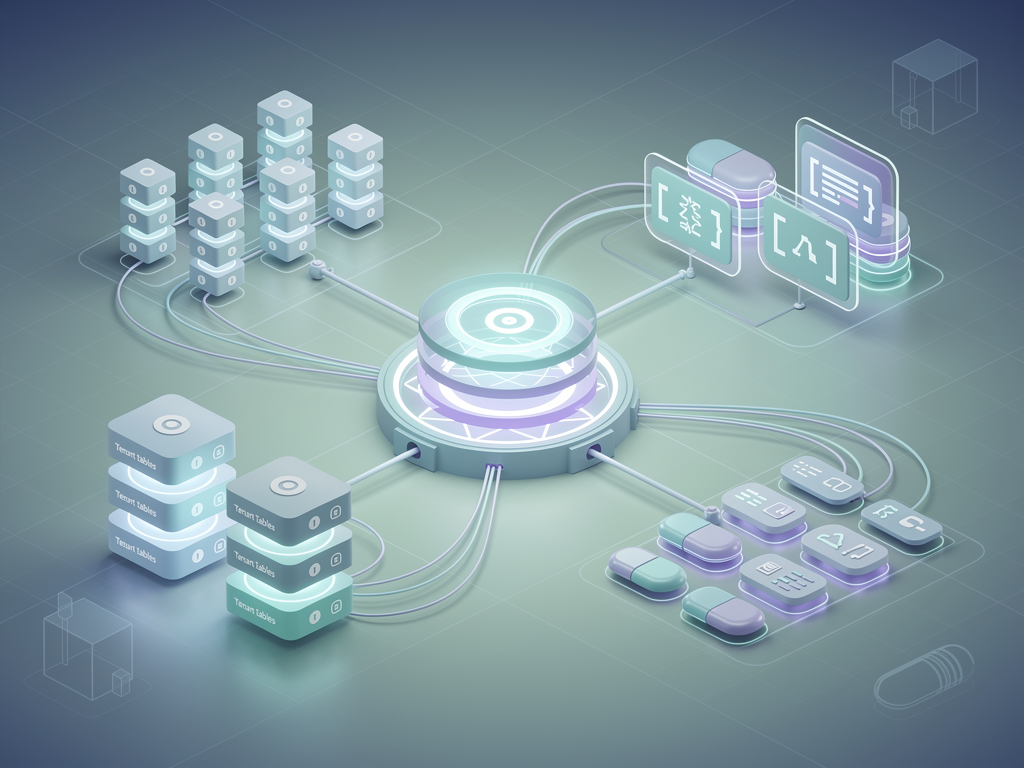
No-code platforms require sophisticated authentication systems that operate at multiple levels. Your platform needs authentication for platform users (your direct customers who build apps), authentication for app users (the end users of applications built on your platform), and potentially authentication for app members (team members collaborating on specific apps).
Platform-level authentication follows standard SaaS patterns. Email and password authentication with secure hashing, social login options (Google, GitHub), and magic link authentication provide flexibility for different user preferences. Multi-factor authentication adds security for users handling sensitive data. Session management should use secure, HTTP-only cookies with appropriate expiration policies.
App-level authentication is more complex because it must be configurable by your users. When someone builds an app on your platform, they should be able to choose whether their app requires authentication, which authentication methods to support, and how to manage their own users. This requires building authentication as a configurable feature rather than a fixed implementation.
Authorization systems must support role-based access control (RBAC) at multiple levels. Platform roles determine what users can do within your platform (create apps, manage billing, invite team members). App roles, defined by your users, determine what end users can do within specific applications. Your builder interface should allow users to configure these roles and assign permissions to components and data.
Team collaboration features enable multiple users to work on the same application. This requires real-time synchronization to prevent conflicts, activity logging for accountability, and granular permissions controlling who can edit versus view different aspects of an application. Implementing these features well significantly increases your platform's value for business teams.
Workflow Automation and Logic Building
Modern no-code platforms extend beyond static pages to include workflow automation and business logic. Users expect to define what happens when forms are submitted, how data flows between components, and how their applications respond to various triggers. Implementing these capabilities without exposing users to code requires visual logic builders.
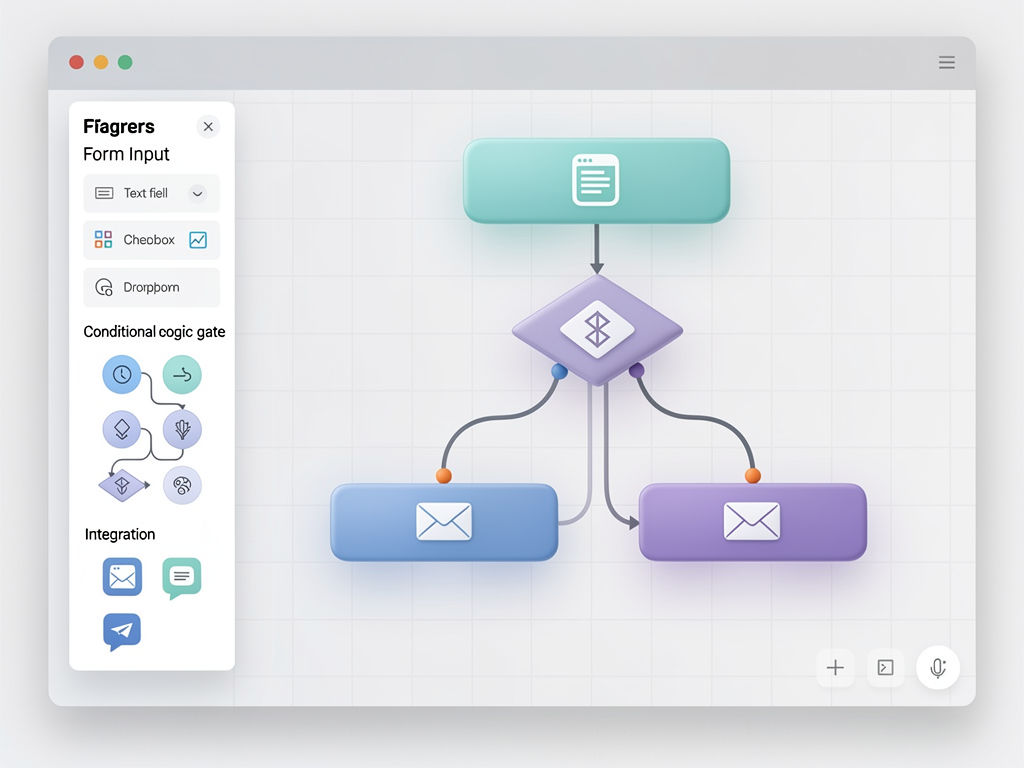
Workflow automation typically uses a trigger-action model. Triggers include events like form submissions, scheduled times, data changes, or webhook receipts. Actions include operations like sending emails, creating records, updating data, or calling external APIs. Users connect triggers to actions through a visual interface, creating automated workflows without writing code.
The visual logic builder presents a flowchart-style interface where users construct conditional logic, loops, and data transformations. Each node in the flow represents an operation, with connections defining the execution sequence. This approach makes complex logic visible and understandable, though designing an intuitive interface for sophisticated logic remains challenging.
Executing user-defined workflows requires a robust runtime engine. Workflows should execute reliably even if individual steps fail, with appropriate retry logic and error handling. Long-running workflows need persistence so they survive server restarts. Consider using a job queue system like BullMQ or a dedicated workflow engine to handle these requirements.
Integration capabilities multiply your platform's value. Pre-built connectors to popular services (Stripe, Mailchimp, Google Sheets, Slack) allow users to incorporate external data and trigger external actions. A well-designed integration framework makes adding new connectors straightforward, enabling you to expand your integration library over time based on user demand.
Monetization Strategies and Pricing Architecture
Building monetization into your architecture from the beginning ensures you can implement flexible pricing strategies without major refactoring. The most successful no-code platforms combine multiple revenue streams, including subscription tiers, usage-based components, and marketplace commissions.
Subscription tiers typically differentiate on features, limits, and support levels. A free tier attracts users and demonstrates value, while paid tiers unlock advanced features like custom domains, increased storage, more team members, or priority support. Carefully consider which features to gate; restricting too much frustrates users, while giving away too much undermines paid conversions.
Usage-based pricing components align your revenue with the value users receive. Charging based on the number of apps created, records stored, API calls made, or monthly active users ensures that users who derive more value from your platform contribute proportionally. Hybrid models combining base subscriptions with usage-based components often optimize revenue while maintaining predictability for users.
Enabling your users to monetize their own applications creates a powerful value proposition and additional revenue stream. If users can charge their end users for access to apps built on your platform, you can take a percentage of those transactions. This creates alignment where your success depends on your users' success, encouraging you to build features that help them succeed.
Payment processing integration with Stripe or similar providers handles subscriptions, usage billing, and potentially marketplace transactions. Stripe Connect enables complex payment flows where you facilitate payments between your users and their customers. Building this infrastructure correctly requires attention to tax compliance, refund handling, and financial reporting.
Pricing Strategy: Start with simple pricing and add complexity as you understand your users better. Many successful platforms launch with just two or three tiers and introduce usage-based components later based on actual usage patterns and customer feedback.
Performance Optimization and Scaling
Performance directly impacts user satisfaction and conversion rates. A visual builder that lags during editing frustrates users, while slow-loading published apps reflect poorly on your platform. Optimization must address both the builder experience and the runtime performance of user-created applications.
Builder performance requires efficient state management and rendering. Large applications with hundreds of components can strain naive implementations. Techniques like virtualization (only rendering visible components), memoization (preventing unnecessary re-renders), and incremental updates (modifying only changed portions of state) maintain responsiveness even with complex applications.
Published application performance depends on how you render user-created apps. Static generation, where possible, provides the fastest load times by pre-rendering pages at build time. Dynamic content requires server-side rendering or client-side fetching, each with different performance characteristics. Edge computing, deploying your application logic to servers near users, reduces latency for dynamic content.
Database query optimization becomes critical at scale. Analyze slow queries, add appropriate indexes, and consider read replicas for query-heavy workloads. Caching frequently accessed data in Redis reduces database load and improves response times. Cache invalidation strategies ensure users see current data while maximizing cache hit rates.
Infrastructure scaling follows different patterns for different components. Stateless application servers scale horizontally by adding more instances behind a load balancer. Databases scale vertically (larger instances) up to a point, then require sharding or read replicas. Background job workers scale based on queue depth. Monitoring and alerting systems help you understand when and where to add capacity.

Security Considerations and Best Practices
Security is paramount for platforms handling customer data and business logic. A security breach damages your reputation, exposes you to liability, and destroys user trust. Building security into your platform from the beginning is far more effective than retrofitting it later.
Tenant isolation must be enforced at every layer. Database queries must always include tenant context to prevent cross-tenant data access. API endpoints must verify that the authenticated user has permission to access the requested tenant's data. File storage must organize files by tenant and verify permissions before serving. Regular security audits should specifically test for tenant isolation failures.
Input validation and sanitization prevent injection attacks. All user input, whether from forms, API requests, or the builder interface, must be validated against expected formats and sanitized before use. This includes the user-defined content within applications, which could contain malicious scripts if not properly handled. Content Security Policy headers provide defense-in-depth against cross-site scripting.
Authentication security requires attention to password hashing (using bcrypt or Argon2), session management (secure cookies, appropriate timeouts), and protection against common attacks (brute force, credential stuffing). Rate limiting on authentication endpoints prevents automated attacks. Security headers (HSTS, X-Frame-Options, X-Content-Type-Options) protect against various browser-based attacks.
Secrets management ensures API keys, database credentials, and other sensitive configuration are never exposed in code or logs. Environment variables or dedicated secrets management services (AWS Secrets Manager, HashiCorp Vault) store secrets securely. Audit logging tracks access to sensitive operations, enabling investigation of potential security incidents.
Compliance requirements vary by industry and geography. GDPR affects platforms serving European users, requiring data portability, deletion capabilities, and specific consent mechanisms. HIPAA applies to healthcare data, SOC 2 demonstrates security controls to enterprise customers, and PCI DSS applies if you handle payment card data directly. Understanding which regulations apply to your platform and users guides your security implementation.
Self-Hosting and Deployment Options
Offering self-hosting options expands your addressable market to include enterprises with strict data residency requirements and cost-conscious users who prefer managing their own infrastructure. A well-documented self-hosting path also demonstrates confidence in your product and provides a fallback if your hosted service experiences issues.
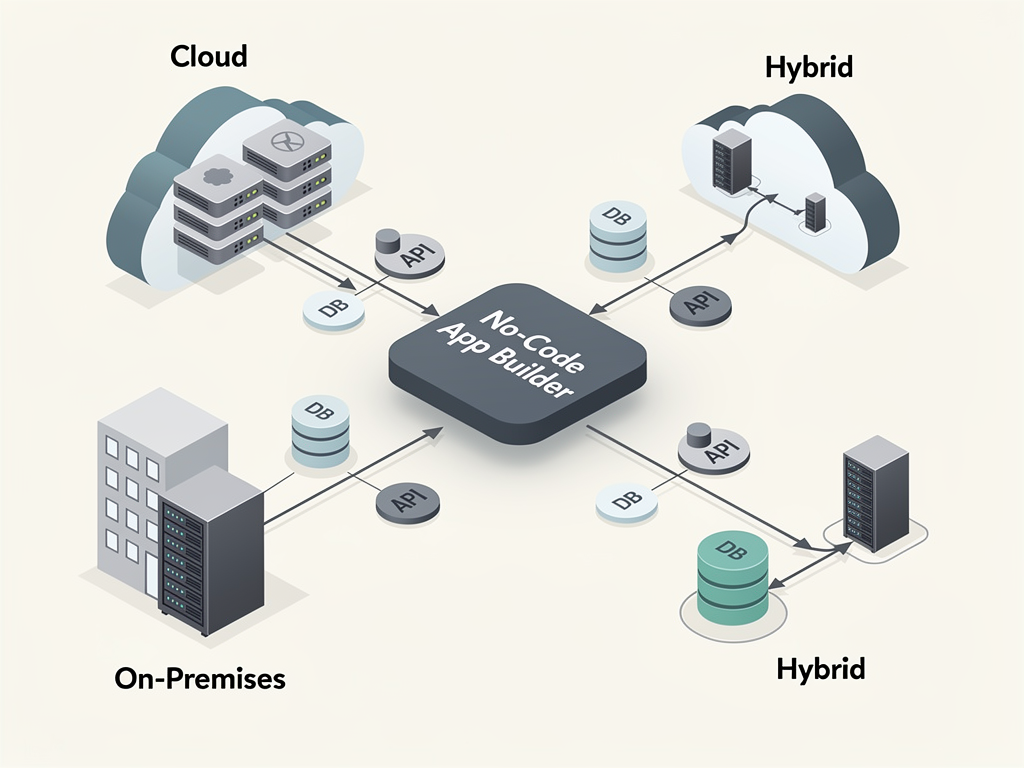
Containerization with Docker simplifies self-hosting by packaging your application with all dependencies. Users can deploy your platform on any infrastructure supporting Docker, from cloud providers to on-premises servers. Docker Compose configurations for development and production provide starting points that users can customize for their environments.
Infrastructure-as-code tools like Terraform or Pulumi enable reproducible deployments. Providing Terraform modules for common cloud providers (AWS, GCP, Azure) allows users to deploy your platform with minimal configuration. These modules should handle networking, databases, storage, and the application itself, creating a complete, production-ready environment.
Cost optimization through self-hosting can be dramatic. Using a Next.js starter kit combined with affordable hosting providers like Hetzner and deployment tools like Coolify, users can run enterprise-grade platforms for a fraction of managed service costs. Documenting these cost-effective deployment paths attracts budget-conscious users while demonstrating that your platform is not artificially tied to expensive infrastructure.
Hybrid deployment models serve users who want the convenience of managed services for some components while self-hosting others. For example, users might self-host the application while using your managed database, or vice versa. Supporting these hybrid configurations requires clean separation between components and well-documented integration points.
Building Your Component Library
The component library defines what users can build on your platform. A rich, well-designed component library enables sophisticated applications while maintaining the simplicity that makes no-code platforms accessible. Investing in your component library directly translates to user success and platform value.
Core components include fundamental building blocks: text, images, buttons, links, containers, and layout elements. These components must be highly configurable, supporting various styles, sizes, and behaviors. Responsive design support ensures applications look good on all devices, which requires components that adapt intelligently to different screen sizes.
Form components enable data collection, a critical capability for most applications. Text inputs, dropdowns, checkboxes, date pickers, file uploads, and rich text editors cover common needs. Form validation, both client-side and server-side, prevents invalid data entry. Integration with your data modeling system allows forms to create and update records automatically.
Data display components present information from your platform's database or external sources. Tables with sorting, filtering, and pagination handle large datasets. Charts and graphs visualize numeric data. Cards and lists present records in various formats. These components must connect to data sources through a configuration interface rather than code.
Advanced components differentiate your platform from competitors. Maps with location data, calendars with event management, kanban boards for workflow visualization, and e-commerce components for product catalogs and checkout flows address specific use cases. Prioritize advanced components based on your target market's needs.
Third-party component integration extends your library without building everything yourself. Embedding widgets from services like Calendly, Typeform, or payment processors adds functionality quickly. A well-designed embedding system allows users to incorporate external content while maintaining security and consistent styling.
Analytics and Insights for Platform Operators
Understanding how users interact with your platform guides product development, identifies problems, and demonstrates value. Comprehensive analytics serve both your needs as the platform operator and your users' needs as app builders seeking to understand their own applications.
Platform-level analytics track user acquisition, activation, retention, and revenue metrics. Understanding your conversion funnel from signup to paid subscription reveals optimization opportunities. Feature usage data shows which capabilities users value most, informing roadmap prioritization. Cohort analysis reveals how user behavior changes over time and whether product changes improve outcomes.
App-level analytics help your users understand their applications. Page views, user sessions, conversion rates, and custom events provide insights into how end users interact with apps built on your platform. Offering these analytics as a built-in feature adds significant value compared to requiring users to integrate third-party analytics tools.
Real-time dashboards display current platform status, including active users, recent signups, and system health metrics. These dashboards help you identify issues quickly and understand usage patterns throughout the day. Alerting systems notify you of anomalies like sudden traffic spikes, error rate increases, or performance degradation.
Data export capabilities allow users to extract their data for external analysis or migration. Providing clean data exports builds trust by demonstrating that users are not locked into your platform. Export formats should include both raw data and aggregated reports suitable for different analysis needs.

Marketing and Growth Strategies
Building a great platform is necessary but not sufficient for success. Effective marketing and growth strategies bring users to your platform and convert them into paying customers. The no-code market's competitiveness requires thoughtful positioning and consistent execution.
Content marketing establishes authority and drives organic traffic. Tutorials showing how to build specific applications on your platform demonstrate capabilities while providing search-optimized content. Comparison articles positioning your platform against alternatives help users in the consideration phase. Case studies featuring successful users provide social proof and inspire potential customers.
SEO optimization ensures your content reaches users searching for solutions. Target keywords related to your niche (industry-specific terms, use case descriptions) rather than competing directly for broad terms like "no-code app builder" where established players dominate. Technical SEO, including fast load times and mobile optimization, supports your content efforts.
Community building creates advocates who promote your platform organically. Forums, Discord servers, or community platforms enable users to help each other, share templates, and showcase their creations. Active community management, including responding to questions and highlighting user achievements, nurtures engagement and loyalty.
Partnership programs extend your reach through complementary businesses. Agencies building solutions for clients become power users who bring multiple projects. Integration partners promote your platform to their user bases. Affiliate programs incentivize content creators and influencers to recommend your platform. Each partnership type requires specific program design and management.
Product-led growth strategies use your product itself as a marketing channel. Free tiers allow users to experience value before paying. Viral features, like "Built with [YourPlatform]" badges on published apps, expose your brand to new potential users. Referral programs reward users for bringing in new customers.
Launching and Iterating on Your Platform
Launching a no-code platform is not a single event but an ongoing process of iteration based on user feedback and market dynamics. A strategic approach to launching maximizes learning while minimizing risk, setting the foundation for long-term success.
Beta programs provide early feedback before public launch. Invite users who match your target audience and are willing to provide detailed feedback. Offer incentives like lifetime discounts or early-adopter pricing in exchange for their time and input. Beta feedback shapes feature priorities and reveals usability issues that internal testing missed.
Soft launches to limited audiences test your infrastructure and support capacity under real conditions. Gradually increasing visibility through targeted marketing allows you to scale support and infrastructure in step with user growth. This approach prevents the embarrassment and churn that result from launching to large audiences before you are ready.
Feature prioritization after launch requires balancing user requests, strategic goals, and technical debt. Not every requested feature aligns with your platform's vision or serves your target audience. Develop frameworks for evaluating feature requests that consider impact, effort, and alignment with your positioning. Communicate your roadmap transparently to set appropriate expectations.
Pricing iteration is often necessary as you learn more about your users and market. Monitor conversion rates at each tier, analyze which features drive upgrades, and experiment with pricing changes. Grandfather existing customers on old pricing when making changes to maintain trust. A/B testing pricing pages reveals what messaging and structures resonate with potential customers.
Competitive monitoring keeps you informed about market developments. Track competitor feature releases, pricing changes, and marketing strategies. Identify opportunities where competitors are underserving users or where you can differentiate. Avoid reactive feature development that chases competitors without strategic purpose.
Leveraging Existing Solutions to Accelerate Development
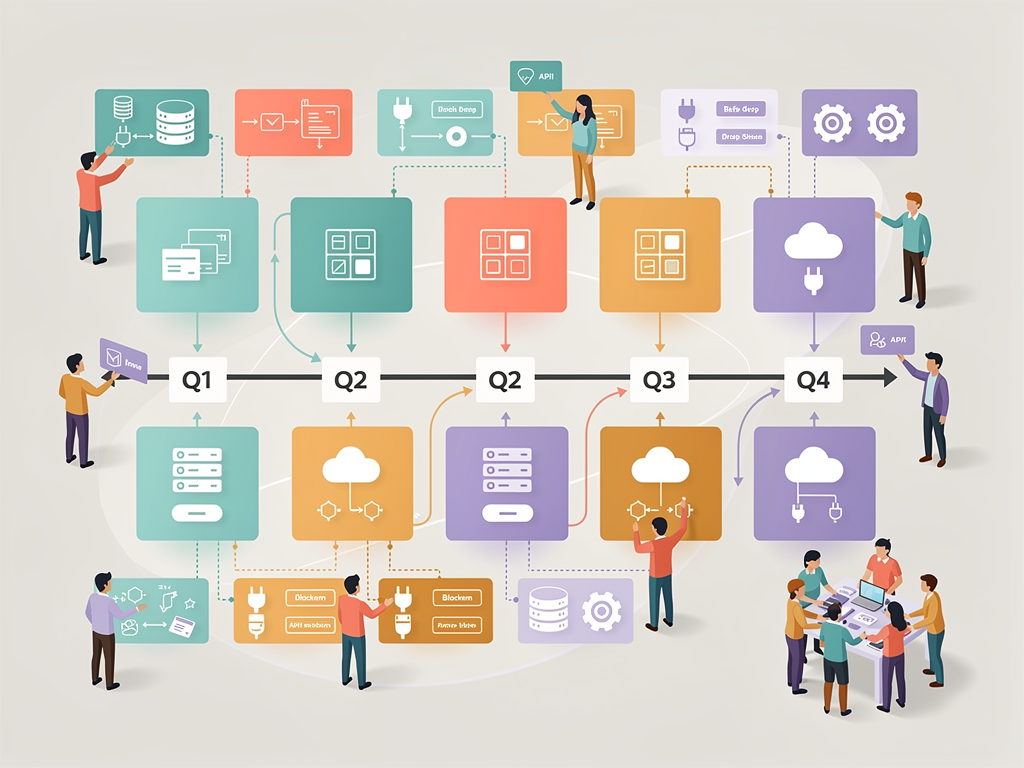
Building a no-code platform from scratch requires expertise across numerous domains: frontend development, backend architecture, database design, authentication, payments, and more. Leveraging existing solutions for common functionality allows you to focus your limited resources on the unique aspects of your platform that create competitive advantage.
A SaaS template or starter kit provides foundational features that every platform needs. Authentication, team management, billing integration, and admin dashboards are table stakes for SaaS products but require significant development effort to build well. Starting with a proven foundation that includes these features saves months of development time and reduces the risk of security vulnerabilities in critical systems.
For developers building multi-tenant no-code platforms, solutions like NextBuilder provide specialized infrastructure including custom subdomain support with SSL, tenant isolation, and the specific architectural patterns needed for platforms where users create their own applications. This type of Next.js SaaS template addresses the unique challenges of no-code platform development rather than generic SaaS needs.
Third-party services handle specialized functionality more effectively than custom implementations. Email delivery through services like Resend or SendGrid ensures reliable inbox placement. File storage through S3-compatible services provides scalable, durable storage. Payment processing through Stripe handles the complexity of subscriptions, usage billing, and compliance. Integrating these services is far more efficient than building equivalent functionality.
Open-source components accelerate specific features. Rich text editors, code editors, chart libraries, and drag-and-drop frameworks provide sophisticated functionality that would require person-years to build from scratch. Evaluating open-source options for each major feature and contributing back to projects you use creates a sustainable ecosystem.
The build-versus-buy decision should consider not just initial development time but ongoing maintenance burden. Custom implementations require ongoing updates, security patches, and feature enhancements. Third-party solutions spread this burden across many customers, often providing better long-term value despite their costs.
Future-Proofing Your Platform
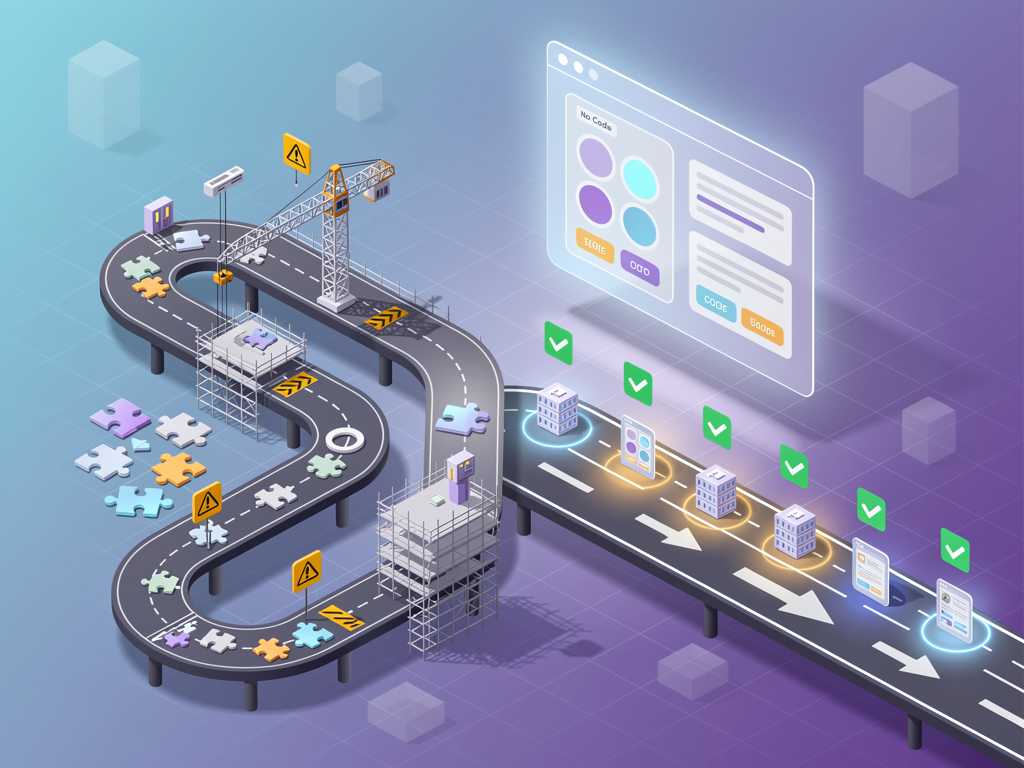
The no-code market evolves rapidly, with new technologies and user expectations emerging continuously. Building a platform that can adapt to future changes requires architectural flexibility, ongoing learning, and strategic foresight.
AI integration is transforming no-code platforms. Features like AI-assisted design, natural language app creation, and intelligent automation are becoming expected capabilities. Architecting your platform to incorporate AI features, whether through external APIs or embedded models, positions you to adopt these technologies as they mature. Consider how AI might enhance each aspect of your platform, from the builder interface to the applications users create.
Mobile-first design reflects the reality that many users access applications primarily through mobile devices. Ensuring that both your builder interface and the applications users create work well on mobile devices expands your addressable market. Progressive web app capabilities and potentially native app generation extend mobile reach further.
API-first architecture enables integrations and extensions you cannot anticipate today. Exposing your platform's functionality through well-documented APIs allows users to build custom integrations, enables third-party developers to create extensions, and facilitates partnerships with complementary services. GraphQL or REST APIs with comprehensive documentation support this extensibility.
Modular architecture allows you to replace or upgrade individual components without rebuilding the entire platform. As better solutions emerge for specific functionality, whether databases, authentication providers, or UI frameworks, modular design enables adoption without massive refactoring. This flexibility extends your platform's lifespan and reduces technical debt accumulation.
Continuous learning through user research, market analysis, and technology monitoring keeps you ahead of changes. Regular conversations with users reveal emerging needs before they become widespread demands. Following industry publications, attending conferences, and participating in developer communities expose you to new ideas and approaches. Building a culture of learning and adaptation ensures your platform remains relevant as the market evolves.

Conclusion
Creating a no-code app builder platform represents one of the most compelling opportunities in today's software market. The combination of growing demand for accessible development tools, recurring SaaS revenue models, and the ability to create genuine value for users makes this space attractive for ambitious developers and entrepreneurs.
Success requires excellence across multiple dimensions: robust multi-tenant architecture, intuitive visual builder design, flexible data modeling, comprehensive security, and effective monetization. Each of these areas presents challenges that reward thoughtful engineering and user-centered design. The platforms that succeed will be those that balance technical sophistication with genuine accessibility for non-technical users.
Starting with proven foundations like a SaaS starter kit or specialized boilerplate dramatically accelerates your path to market. Rather than spending months building authentication, billing, and multi-tenancy from scratch, you can focus on the unique aspects of your no-code builder that will differentiate it from competitors. This strategic use of existing solutions is not a shortcut but a smart allocation of limited resources.
The journey from concept to successful platform requires persistence, continuous learning, and genuine commitment to user success. Every feature you build should be evaluated against whether it helps users create better applications more easily. This user-centered focus, combined with solid technical foundations and effective go-to-market strategies, creates the conditions for building a platform that matters.
Frequently Asked Questions
How long does it take to build a no-code app builder platform from scratch?
Building a production-ready no-code platform from scratch typically requires 12 to 18 months of full-time development for a small team, depending on the scope and complexity of features. This timeline includes designing and implementing the visual builder interface, building multi-tenant infrastructure with proper data isolation, integrating payment processing and subscription management, and developing the component library that defines what users can create. Using a specialized SaaS boilerplate or starter kit can reduce this timeline to 3 to 6 months by providing pre-built authentication, billing, multi-tenancy, and other foundational features. The remaining development time focuses on the unique aspects of your no-code builder, including the drag-and-drop interface, component system, and workflow automation capabilities that differentiate your platform.
What is the minimum viable feature set for launching a no-code platform?
A minimum viable no-code platform should include user authentication and account management, a visual page builder with basic components (text, images, buttons, forms, containers), data storage for user-created content, the ability to publish and share created applications, and basic responsive design support. Beyond these core features, you need subscription management for monetization, even if you start with just free and paid tiers. Custom subdomains significantly increase perceived value and should be considered essential for differentiation. Avoid the temptation to build every feature before launching; instead, focus on executing core functionality exceptionally well. Early users provide invaluable feedback that shapes feature priorities more effectively than speculation. Many successful platforms launched with surprisingly limited feature sets and expanded based on actual user needs.
How do I handle the technical complexity of letting users build dynamic applications?
Managing the complexity of user-created dynamic applications requires careful architectural decisions at multiple levels. For data storage, use a flexible schema approach combining relational structure for metadata with JSON columns for user-defined fields, enabling unlimited customization while maintaining queryability. For the visual builder, implement a component model where each component type has a defined schema specifying configurable properties, validation rules, and rendering behavior. This schema-driven approach separates component definition from rendering logic, making it easier to add new components and maintain consistency. For workflow automation, use a trigger-action model with visual flow builders that compile to executable logic. Consider using established libraries for complex functionality like drag-and-drop interactions, rich text editing, and chart rendering rather than building everything custom. The key is creating clear abstractions that hide complexity from users while providing the flexibility they need.
What are the most important security considerations for multi-tenant no-code platforms?
Multi-tenant security centers on ensuring complete isolation between tenants so that no user can access another tenant's data or applications. Implement tenant context verification at every layer: database queries must always filter by tenant ID, API endpoints must verify the authenticated user belongs to the requested tenant, and file storage must organize and permission files by tenant. Beyond isolation, protect against injection attacks by validating and sanitizing all user input, including content within user-created applications that could contain malicious scripts. Implement rate limiting to prevent abuse, use secure session management with HTTP-only cookies, and enforce strong password policies. For platforms handling sensitive data, consider compliance requirements like GDPR, HIPAA, or SOC 2 that may apply to your users' use cases. Regular security audits, including penetration testing specifically targeting tenant isolation, should be part of your ongoing security practice.
How should I price my no-code platform to maximize revenue while remaining competitive?
Effective pricing balances value capture with accessibility and competitive positioning. Start with a free tier that demonstrates your platform's capabilities and allows users to experience value before committing financially. Limit the free tier on dimensions that naturally expand with usage, such as the number of apps, records, or team members, rather than crippling core functionality. Paid tiers should align with user segments: a starter tier for individuals and small projects, a professional tier for growing businesses, and an enterprise tier for organizations with advanced needs like custom domains, SSO, or dedicated support. Consider usage-based components for resources that scale with success, such as storage, bandwidth, or API calls. Research competitor pricing but do not simply match it; price based on the value you provide and your target market's willingness to pay. Plan to iterate on pricing as you learn more about your users, and always grandfather existing customers when making changes to maintain trust and reduce churn.
Can I build a successful no-code platform as a solo developer or small team?
Solo developers and small teams have successfully launched no-code platforms by focusing strategically and leveraging existing solutions effectively. The key is ruthless prioritization: identify a specific niche or use case where you can provide exceptional value rather than competing broadly with well-funded platforms. Use boilerplates, starter kits, and third-party services to handle common functionality like authentication, payments, and email, reserving your development time for the unique aspects of your builder. Start with a minimal feature set and expand based on actual user feedback rather than assumptions. Automate everything possible, from deployment to customer onboarding, to maximize your limited time. Build in public to create community and accountability while generating marketing content. Many successful platforms started as side projects that grew organically. The combination of lower infrastructure costs through self-hosting options and efficient development through modern tools makes solo and small-team success more achievable than ever, though it requires patience, persistence, and willingness to iterate based on market feedback.
Ready to Build Your No-Code Platform?
Creating a no-code app builder platform is an ambitious undertaking that rewards careful planning and smart resource allocation. If you are ready to accelerate your development and launch faster, explore NextBuilder's complete multi-tenant boilerplate designed specifically for building platforms where your clients create unlimited apps with custom subdomains and SSL. With over 600 hours of development time already invested in production-ready features including dual authentication systems, real-time analytics, team collaboration, and a built-in affiliate program, you can focus on what makes your platform unique while standing on a proven foundation. Visit NextBuilder.dev to see the demo and start building your no-code empire today.
Subscribe to our newsletter
Subscribe to our newsletter and stay up-to-date with the latest news and updates.